

 Loading...



Play Snow Road 3D Online for free and jump into a fast, snowy online browser video game where you race down an icy road, dodge obstacles, and try to keep your run alive with smooth steering, right in your web browser on our Snow Road 3D page.
Quick answer: Snow Road 3D is a downhill survival drive where early lane choices and steady control help you avoid crashes and last longer.
What is Snow Road 3D?
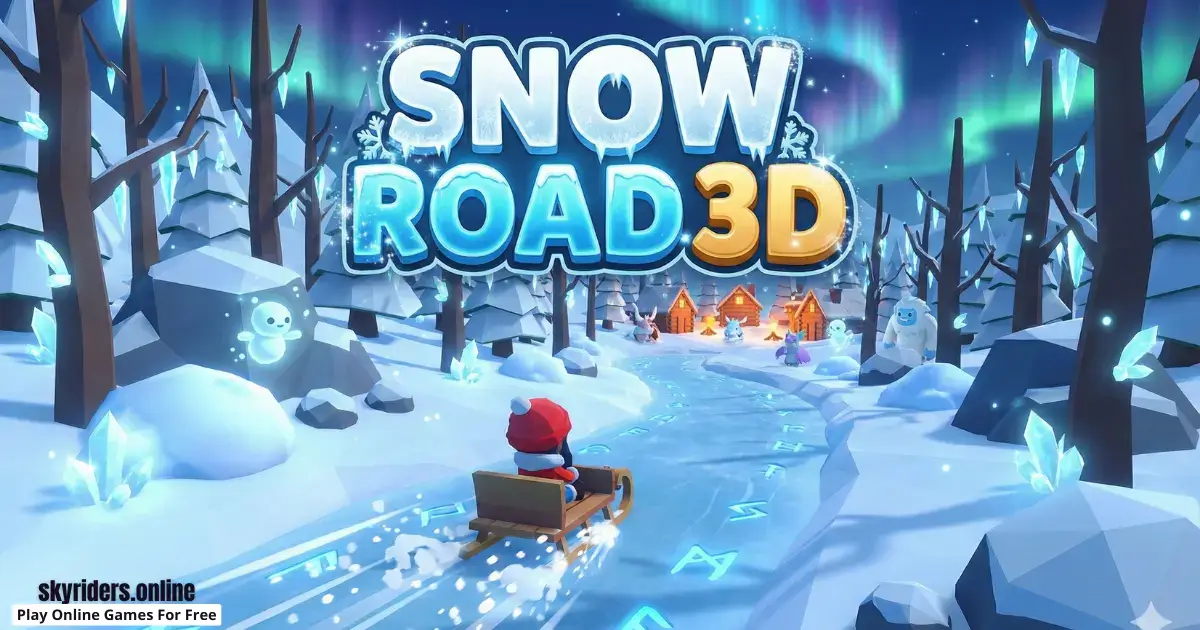
Snow Road 3D is an online browser video game that turns a winter road into a quick test of focus. You move forward at speed, the path feels slippery, and obstacles appear in your lane, so you have to steer early and stay calm. The goal is simple: survive longer, learn from each crash, and beat your personal best distance.
It is easy to start because you can learn by playing instead of reading a long tutorial. At the same time, it stays interesting because good runs are about decision-making, not only fast hands. If you position your ride in a safe lane before trouble arrives, you keep options open and escape tighter patterns.
Snow Road 3D is also great for quick sessions. A run can end in seconds, or it can stretch into a long streak if you stay smooth, which makes it perfect for short breaks. The developer is confirmed as azgames.io, and the release date is 2024.
Snow Road 3D Gameplay
Gameplay in Snow Road 3D is all about rhythm. You watch the road ahead, slide into a safer lane, and keep your steering under control so you do not bounce into danger. When obstacles appear close together, the best move is usually a small, early turn that sets up the next dodge, not a huge last-second swerve.
A helpful habit is to look past the nearest obstacle. If you only react to what is directly in front of you, you will get trapped. If you look one group ahead, you can choose a lane that stays safe for longer and gives you a clean exit after each dodge.
As you play more, you start noticing patterns. Some sections reward staying near the center so you can move either way, while other sections reward committing to a wide opening and staying there until it clears. Because runs restart fast, you can test one adjustment at a time and feel improvement quickly.
Tips: If two obstacles look close together, aim for the widest open lane early, then make tiny corrections instead of zigzagging at the last second.
Platform
You can play this game directly in your web browser on desktop, laptop, tablet, or mobile. That means you can jump in anytime without downloads.
How to Play Snow Road 3D
Goal: Drive downhill on the snowy road, dodge obstacles, and survive as long as you can to improve your best run.
- Start a run and immediately scan the road ahead for the next obstacle group.
- Pick a lane that leaves you an escape route if something appears suddenly.
- Steer smoothly and avoid fast back-and-forth swings across the road.
- When obstacles stack up, choose the clearest gap and commit to that path.
- If you crash, restart and test a different early lane choice to learn faster.
Snow Road 3D rewards players who stay steady. If you treat every obstacle like an emergency, you will overcorrect and crash. If you treat the road like a puzzle you solve one lane at a time, you will last longer and feel more in control.
For your first few runs, focus on control instead of distance. Try to keep your ride centered, then add speedier lane changes only when you feel comfortable. Small improvements add up fast, and a calm start usually leads to a longer finish.
Tips: Try choosing a “home lane” on open roads, then only move when you must, it keeps your brain calm and your dodges cleaner.
Snow Road 3D Controls
On desktop, you typically steer with the arrow keys or WASD, depending on the version. On mobile, you usually steer with touch or swipe controls.
If your steering feels too strong, try lighter inputs. On keyboard, quick taps help you “nudge” into a new lane instead of sliding across multiple lanes. On touch screens, shorter swipes often feel more accurate than long, fast swipes.
Controls may vary slightly by version/device.
Snow Road 3D Tips and Tricks
- Look one obstacle ahead so you are already planning your next lane.
- Use “tiny turns” as your default and save big turns for real emergencies.
- Stay near the center when the road is open so you keep two escape options.
- When you dodge, return to a safe middle-ready position when possible.
- If you see two gaps, choose the gap that leads to more open road afterward.
- Leave space and avoid driving right beside obstacles when the road has room.
- Practice one improvement at a time, like “no zigzags” for three runs.
- On mobile, keep swipes short and controlled to prevent oversteering.
- If the game feels too fast, focus on earlier decisions, not faster fingers.
- After a close dodge, re-check the next obstacle immediately and re-center.
- When the road is clear, relax your hands so you do not drift by accident.
- Pick the widest safe lane, not the closest safe lane, when options are tight.
- If you miss a gap, do not chase it, choose the next clean opening instead.
- Do a “practice run” where you only make smooth moves, then try for distance.
Tips: If you keep losing in the same section, move lanes earlier than you think you should, early positioning is often the whole solution.
Snow Road 3D Common Mistakes to Avoid
- Mistake: Waiting until the last moment to change lanes. Fix: Decide early and glide into position before the obstacle fills your screen.
- Mistake: Making huge steering swings across the road. Fix: Use smaller moves and only change lanes when you have a clear reason.
- Mistake: Hugging the edge the whole time. Fix: Use the center when possible so you can dodge left or right.
- Mistake: Dodging late and squeezing into tiny gaps. Fix: Choose larger gaps sooner so you do not trap yourself.
- Mistake: Staring at your vehicle instead of the road. Fix: Keep your eyes up and treat your ride like it follows your plan.
- Mistake: Playing while frustrated and rushing inputs. Fix: Take a short pause, then restart with slower, calmer steering.
- Mistake: Repeating the same mistake without changing anything. Fix: After a crash, pick a new early lane plan and test it right away.
Tips: If you can describe why you crashed in one sentence, you can usually fix it on the very next run.
Snow Road 3D Features
- Instant browser play, load the page and start driving fast.
- Snowy downhill theme that makes every dodge feel intense.
- Obstacle patterns that teach you to plan, not just react.
- Quick restarts that make practice fun instead of frustrating.
- Clear personal-best challenge: survive longer each run.
- Easy to understand for kids, learn by doing in seconds.
- Great for short breaks because runs are quick and replayable.
- Playable on desktop and mobile through a web browser.
- Simple controls that reward smooth steering and good timing.
- Skill improvement feels real, smoother choices lead to longer runs.
Snow Road 3D is built around a clean idea: dodge, survive, improve. The better your positioning becomes, the calmer the game feels, and the farther you go.
Snow Road 3D Download
Want to enjoy Snow Road 3D more comfortably on your device? Here’s how:
For Snow Road 3D on iOS (iPhone or iPad)
If you choose the app version, use the official store page links above so you know you are downloading the right game.


Snow Road 3D Unblocked
You do not need to search “Snow Road 3D unblocked” because our website does not block access, you can play normally on supported devices and networks. If you are at school or work, always follow the rules and play only during allowed break time.
This game is perfect when you want a quick, fast challenge where a single run can be over in seconds or last much longer if you stay calm.
No need to search for Snow Road 3D unblocked 76, Snow Road 3D unblocked 66, Snow Road 3D Poki, Snow Road 3D Cool Math Games, Snow Road 3D Math Playground, Snow Road 3D Crazy Games, Snow Road 3D Classroom 6x, or Snow Road 3D 2 Player Games.
The updated, fully working version is available right here on Snow Road 3D and you can play for free anytime on most devices and networks.
Snow Road 3D Github
No need to search for Snow Road 3D Github, you can play the game directly on our website in your browser.
Play Snow Road 3D Online for Free
You never have to pay to play Snow Road 3D on our website. Just open the game in your browser and enjoy free play anytime.
Is Snow Road 3D Safe for Kids?
- Yes, it is a simple driving-style browser game focused on on-screen obstacles.
- There is no chatting with strangers inside the browser gameplay on our page.
- The main challenge is reflexes and focus, not scary content.
- Short runs make it easier to take breaks and avoid playing too long.
- Parents can help by setting a timer and reminding kids to stop after a few runs.
Parent note: Every kid is different, so it is smart to watch the first few runs and make sure the speed and intensity feel comfortable. If the game feels stressful, encourage shorter sessions and remind kids that calm steering beats rushing.
Why You’ll Love Snow Road 3D
- It is exciting right away: one click and you are already dodging and chasing distance.
- It rewards calm control, so you can feel yourself improving.
- Restarts are instant, so practice never feels slow.
- The snowy downhill vibe makes close saves feel awesome.
Keep your steering smooth, plan early, and beat your best distance faster than you expect.
Snow Road 3D Details
Requirements
To play this game, all you need is a computer, an internet connection, and a web browser. No downloads are required!
Release Date
2024
Developer
azgames.io
Platform
Web browser (desktop and mobile)
Technology
Built using modern web technology for browser play.
Similar Games to Snow Road 3D
If you’re a fan of Arcade Driving Games, you’ll definitely enjoy these too:
- Acceleration City
- Sky Riders
- Slope 3
- Slope
- Moto X3M
- Hill Climb Racing
Arcade Driving Games
Arcade driving games are fast, easy-to-start driving challenges where you focus on quick reactions and clean control instead of realistic rules. You usually steer around hazards, pick safer lanes, and chase distance or a better run with smart timing. Because they work in a web browser, you can jump in without downloading anything. If you want more quick driving action, explore our Arcade Driving Games collection.
Downhill Racing Games
Downhill racing games are all about keeping control while moving downhill, where the road can feel tight, slippery, or full of surprises. You often deal with steep drops, sudden obstacles, and split-second steering decisions that reward calm reactions. Because they run in your browser, you can play on different devices with no download needed. For more steep, fast challenges, try our Downhill Racing Games page.
FAQ
Is Snow Road 3D free to play?
Yes. Snow Road 3D is free to play on our website. Open the game page in your browser and start a run right away.
Can I play Snow Road 3D in my browser?
Yes. The browser version works on modern desktop and mobile browsers, so you can play without installing anything.
Can I play Snow Road 3D on mobile?
Yes. You can play on mobile in a supported web browser. If you prefer apps, you can also use the official store links in the Download section.
Do I need to download anything to play?
No. For the browser version, you do not need to download or create an account. Just load the page and play.
What is the main goal in Snow Road 3D?
Your goal is to survive longer by dodging obstacles on the snowy road. Longer, cleaner runs help you beat your personal best.
Why do I crash so fast at the start?
Most early crashes happen from oversteering. Try smaller turns, stay near the center, and make your lane choice earlier than you think you need to.
How do I get a longer run?
Plan one obstacle ahead. Choose an open lane early, avoid zigzagging, and re-center after each dodge so you always have an escape route.
My controls feel too sensitive, what can I do?
Use lighter inputs. On keyboard, tap instead of holding a key. On mobile, use shorter swipes so you do not slide too far across lanes.
Are there checkpoints or levels?
Snow Road 3D is mainly about survival and personal bests. Each attempt is a fresh run where your goal is to last longer than before.
The game is not loading, what should I do?
Refresh the page first. If it still does not load, try another browser, clear cache, or close heavy tabs and reload the game.
Why does the game feel laggy?
Lag usually comes from lots of open tabs, background apps, or a slow connection. Close extra tabs, pause downloads, and try again.
Do the controls feel different on my device?
They can. Different screens and keyboards can make steering feel slightly different, so do a few warm-up runs to match your timing.
Can I play Snow Road 3D at school or work?
Yes, where it is allowed. Always follow school or workplace rules and play only during breaks or free time.
Who made Snow Road 3D?
Snow Road 3D is developed by azgames.io, and the release date provided for the game is 2024.
Conclusion
Snow Road 3D is a quick, exciting browser driving game that turns simple steering into a real skill challenge. When you learn to make early lane choices and keep your movements calm, your runs get longer and your best distance starts climbing.
If you want a snowy downhill challenge that is easy to start and fun to master, open the game and go for your longest run today.