

 Loading...



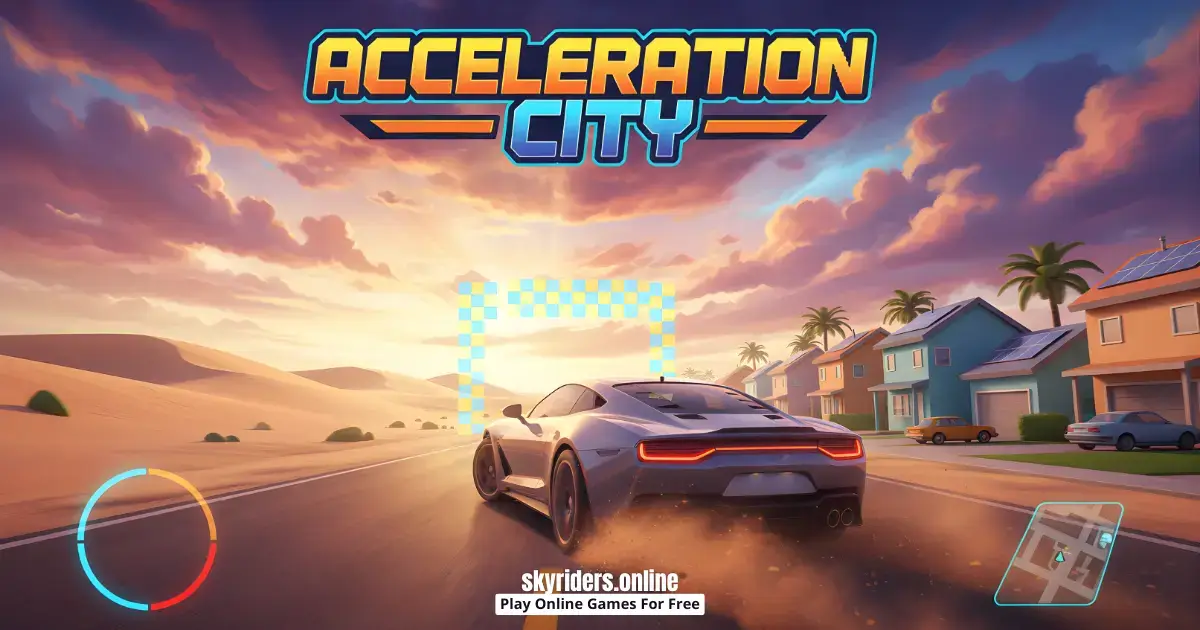
Play Acceleration City online for free and jump into a bright, kid-friendly browser driving game where you cruise through a lively city, chase clean runs, and use a robot buddy (your CoBot) to build helpful ramps and platforms as you drive, right in your web browser on our Acceleration City page.
Quick answer: Acceleration City is an arcade driving adventure that mixes racing and exploring with smart CoBot building, so steady control and good timing matter as much as speed.
What is Acceleration City?
Acceleration City is an online browser video game that turns city driving into a playful challenge. Instead of only trying to go fast, you learn to stay balanced, pick safer lines, and react when the route changes quickly. Some moments feel like a quick arcade race, and other moments feel like a light puzzle where planning one move ahead helps you keep rolling.
The big twist is your CoBot companion. When the road throws a problem at you, your CoBot can help by creating a ramp or a platform. That means you can prepare for bumps, gaps, and awkward angles with a smart setup, not just repeated restarts. The more you practice spotting trouble early, the smoother your runs become.
This game works great for short sessions. You can explore different routes, replay tricky sections, and slowly build the city rhythm of steady approach, clean turn, smart build, smooth landing, and repeat.
Acceleration City Gameplay
Each run is built around driving, scanning the next part of the road, and making quick choices. Sometimes you push forward and enjoy the speed. Other times you slow down, line up carefully, and use your CoBot to make the next section safer. When you combine calm steering with smart building, the game starts to feel smooth, satisfying, and easier to control.
The city layout encourages curiosity. You can test different paths, practice one tough jump until you nail it, or spend a session exploring side routes to see what is there. Because runs are short, it is easy to try a new idea, learn from a mistake, and jump right back in without a long wait.
Tips: If a gap or sharp bump is coming, slow down for a moment, place a simple ramp or platform with your CoBot, then speed up after your wheels feel stable.
Platform
You can play this game directly in your web browser on desktop, laptop, tablet, or mobile. That means you can start a run in seconds without downloading anything.
How to Play Acceleration City
Start with a calm practice run. Your first goal is not to be fast, it is to learn how the routes behave. Notice where your vehicle gets wobbly, where turns feel tight, and where the ground is uneven. Once you can predict the danger spots, you will feel more in control.
Next, use your CoBot with purpose. Think of it like a helper that gives you tools at the right moment. If the route needs a ramp, build one before you reach the edge. If you need a stable spot to reset your balance, place a platform so you can land straight and continue without spinning out.
Finally, choose your style for the session. Some days you might explore and experiment with routes. Other days you might focus on clean, consistent runs and small improvements. Switching goals keeps the game fun, and it also helps you learn faster.
Tips: Try one learning run where you drive safely and build early, then do a second run where you keep the same route but add a little more speed.
Acceleration City Controls
On desktop, browser driving games usually use the keyboard for steering and speed, with extra keys or on-screen buttons for special actions like using your CoBot. On mobile, you will usually steer with on-screen controls. Controls can vary slightly by device or version, so take a short practice run to get comfortable.
Acceleration City Tips and Tricks
- Do one slow run first so you learn where the route gets bumpy, narrow, or steep.
- Look ahead and plan your line early instead of turning at the last second.
- Ease off speed before a turn, then accelerate once you are straight again.
- Use your CoBot as a planning tool, not a panic button. Build before you reach the danger.
- After a jump, land straight first, then turn. Doing both at once often causes flips.
- If one path feels chaotic, try a different route rather than forcing the same mistake.
- Practice one tricky spot on purpose until it feels easy, then move on.
- On mobile, use calmer inputs instead of big swipes so your car stays balanced.
- If you keep failing a section, take a short break, then return with a slower, cleaner attempt.
- Focus on consistency. Three steady runs teach more than one lucky run.
Tips: If you keep crashing at the same jump, change one thing each try (speed, angle, or earlier CoBot timing) so you learn what actually works.
Acceleration City Common Mistakes to Avoid
- Mistake: Going full speed on your first attempt. Fix: Do a slow learning run first, then speed up step by step.
- Mistake: Turning while accelerating hard. Fix: Slow down before the corner and accelerate on the exit.
- Mistake: Using the CoBot too late. Fix: Watch ahead and build ramps or platforms before you reach the problem spot.
- Mistake: Landing sideways after a jump. Fix: Approach straight and reduce turning while airborne.
- Mistake: Repeating the exact same failing move. Fix: Adjust one variable per attempt so you learn faster.
Tips: If your car keeps flipping, slow down before the bump, approach straight, and place a small platform to stabilize your landing before you push speed again.
Acceleration City Features
- Arcade-style driving that feels quick and exciting in short sessions.
- A city environment that supports multiple routes and exploration.
- A CoBot companion that can create ramps and platforms to help you progress.
- A mix of racing energy and problem-solving choices.
- Replay-friendly runs where small improvements feel noticeable.
- Kid-friendly presentation that stays focused on fun and learning-by-doing.
- Good practice for timing, reactions, and planning ahead on-screen.
- Easy start-and-stop play, perfect for quick breaks.
- Room to experiment with different approaches, not just one correct way.
- Satisfying moments when smart setup turns a hard spot into a smooth pass.
Goal: Complete your run by driving through the city routes with steady control and using your CoBot to handle tricky sections.
- Start a run and learn the route by driving carefully.
- Watch ahead for gaps, bumps, and awkward turns.
- Use the CoBot to place ramps or platforms before the danger spot.
- Finish the route, then replay to improve timing, lines, and smooth landings.
Play Acceleration City Online for Free
You never have to pay to play Acceleration City on our website. Open the game in your browser and start driving right away.
Is Acceleration City Safe for Kids?
- The game is an on-screen driving challenge, not real-life driving.
- It rewards careful choices and practice, not risky behavior.
- Short runs make it easy to stop, reset, and take breaks.
- If sound is distracting, lower volume on your device in shared spaces.
- Younger players can have more fun by starting with slow practice runs.
Parent note: If a child is stuck, suggest a learning run with slower speed and earlier CoBot building, then celebrate small progress to keep the session positive.
Acceleration City Download
If you prefer searching for an app version, you can use the official store search pages below. The browser version is still the fastest way to play right now.
For Acceleration City on Android
For Acceleration City on iOS (iPhone or iPad)


Play Acceleration City Online for Free
You can play right away in your browser, and it is perfect for quick sessions because you can start, stop, and restart without installing anything.
Acceleration City Unblocked
You do not need to search "Acceleration City unblocked" because our website does not block access. If you are at school or work, always follow the rules and play only during breaks or free time.
It is a good pick for short breaks because one run is quick, and you can practice a single turn, jump, or CoBot setup and then close the tab.
No need to search for Acceleration City unblocked 76, Acceleration City unblocked 66, Acceleration City Poki, Acceleration City Cool Math Games, Acceleration City Math Playground, Acceleration City Crazy Games, Acceleration City Classroom 6x, or Acceleration City 2 Player Games.
The updated, fully working version is available right here on Acceleration City and you can play for free anytime on most devices and networks.
Acceleration City Github
No need to search for a Github version. You can play Acceleration City directly on our website in your browser.
Why You'll Love Acceleration City
- It feels fast and fun, but smart driving still matters most.
- The CoBot helper adds a creative twist to normal racing games.
- Short runs make it easy to practice one skill and improve quickly.
- Exploring routes keeps the city feeling fresh instead of repetitive.
- Getting smoother feels rewarding, even when you are not chasing max speed.
- You can set your own goals: safe runs, faster runs, or better builds.
- It is easy to restart and experiment, so mistakes feel like learning.
- The mix of speed and planning makes it fun for different play styles.
It also feels good to improve without pressure. You can play one level, learn one tricky spot, and quit anytime. When you come back, you already know what to do. That simple progress makes Acceleration City a great pick for quick breaks and longer practice sessions. Small wins still feel big today.
Acceleration City Details
Requirements
To play this game, all you need is a device with an internet connection and a modern web browser. No downloads are required for browser play.
Release Date
2019
Developer
Developer: Robotics Academy.
Platform
Web browser (desktop and mobile)
Technology
Built for browser play using modern web technology
Similar Games to Acceleration City
If you're a fan of Arcade Driving Games, you'll definitely enjoy these too:
- Sky Riders
- Snow Road 3D
- Slope 3
- Drift Boss
- Moto X3M
- Hill Climb Racing
Arcade Driving Games
Arcade driving games are all about quick, exciting runs where you steer, manage speed, and react to obstacles without needing long tutorials. You will often face ramps, tight turns, sudden drops, and risky landings that test your timing and control. The goal is usually to stay on the track, keep your vehicle stable, and finish the route with as few crashes as possible. These games are great for short play sessions because you can restart instantly, practice one tricky part, and improve with each attempt. A helpful habit is to slow down before turns, keep steering small, and speed up only when your wheels are steady. Because rounds are short, you can set tiny goals like no flips, cleaner landings, or better CoBot timing when the game includes building tools. Find more games like this in our Arcade Driving Games collection.
Downhill Racing Games
Downhill racing games focus on staying in control while gravity pulls you forward, so balance and braking can matter as much as acceleration. Expect steep slopes, sudden dips, and fast transitions where one calm decision can save the whole run. Many downhill tracks are narrow or bouncy, so a smart strategy is to slow down before the danger, aim for a straight landing, and only then build speed again. These games also reward learning the hill: once you know where the biggest drop or sharp corner is, you can prepare earlier and avoid surprise flips. If you enjoy steep tracks and quick reflex moments, explore our Downhill Racing Games category.
FAQ
Is Acceleration City free to play?
Yes. You can play for free in your web browser on our website. Open the game page and start playing right away.
Do I need to download anything?
No download is needed for the browser version. If you prefer searching app stores, use the links in the Download section.
Can I play Acceleration City on mobile?
Yes. Many phones and tablets can run the game in a mobile browser. If the controls feel sensitive, try smaller inputs and a slower first run.
Is Acceleration City safe for kids?
It is a kid-friendly on-screen driving game. Taking breaks and focusing on calm practice runs helps keep it fun and frustration-free.
Can I play Acceleration City at school or work?
Play only if your school or workplace allows games during breaks or free time. There is no need for bypass tricks. Always follow the rules where you are.
What is a CoBot in Acceleration City?
Your CoBot is a helper that can create useful things like ramps or platforms during a run. Using it early can make tough sections feel smoother and more controllable.
What should I do if the game is not loading?
Refresh the page and try again. If it still fails, try a different browser or close extra tabs so your device has more memory available.
Why is Acceleration City laggy?
Lag usually happens when your device is busy. Close background tabs, lower other app use, and make sure your internet connection is stable.
What if the controls feel delayed?
Reload the page to reset input. If you are on mobile, try rotating back to normal orientation or switching to another browser.
Does Acceleration City save progress?
Some browser games save progress differently depending on the version. If you want to be safe, treat each session as a fresh run and focus on improving your driving and CoBot timing.
How do I get better quickly?
Practice one tricky section on purpose instead of rushing the whole route. Small improvements in stability, speed control, and early building add up fast.
Is there an official release date?
The listed release year is 2019.
Conclusion
Acceleration City is a fun browser driving game that feels fast and playful, but it also rewards calm thinking. You drive through city routes, explore different paths, and use your CoBot to build ramps and platforms that help you handle tough spots.
If you want an arcade driving game with a creative twist, start a run now, practice one section at a time, and enjoy getting smoother with every replay.
Play Acceleration City online for free and see how clean your next run can be.